Monday, 20 April 2015

Evaluate Images


 These both two images have been taken in the studio. I took these images to get the ''still-life'' effect on the image. 
The things I like about these pictures are the lighting and the background drop as I think it compliments the image well. 
The things that I would change on both of these photos is the black table cloth. The reason on why I would, is that because it looks as if the cloth needs 'smoothing' over because of it being all crinkled. 


Colour Photography

Definition of Colour Photography - 
Any of various processes of color photography wherein three primary colors (as blue-violet, green, and red in the additive process or magenta, yellow, and blue-green in the subtractive process) are used to produce the colour of the subject photographed. 

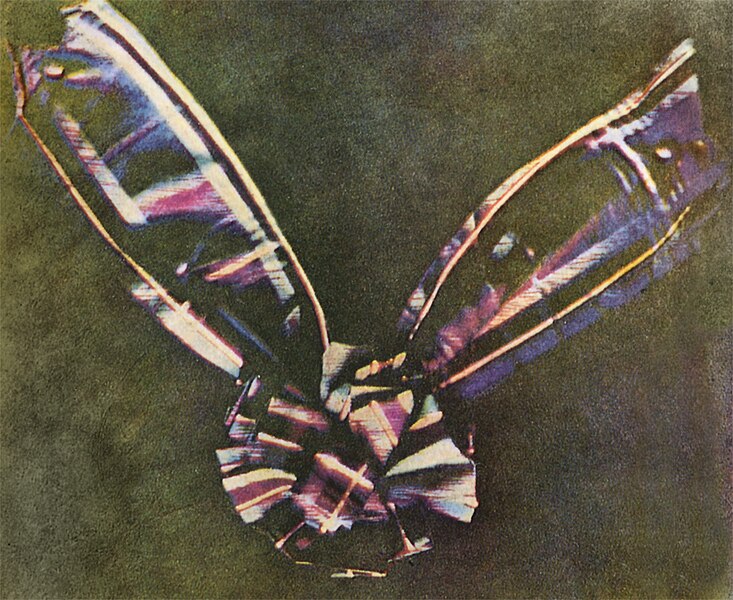
The first colour photograph made by the three-colour method suggested by James Clerk Maxwell in 1855, taken in 1861 by Thomas Sutton. The subject is a coloured ribbon, described as a 'tartan ribbon'. 


The comparison between colour and black and white is that black and leaves you guessing and with colour, it is easier to analyse and understand the meaning of the actual picture that has been produced.  


David Hockney


These are some examples of 'joiners' in photography. 
To do this technique, you will have to:

  • Upload the photo that you want to photoshop. 
  • When you have got your photo on photoshop, click on the 'rectangular marquee tool'. 
  • When you have clicked on that tool, press the shift button and do square or rectangular shapes (presumably the same size) all over the image. 
  • When you have completed that, press ''cmd'' + ''j'' together.
  • When you pressed the following buttons, go up to the 'move tool' and drag your image either up, down, right or left. 


Thursday, 23 October 2014

Manual Camera Settings

This is an under-exposed picture, I used 400 for the IS. The shutter speed I used for this picture was 1/60. 


These two pictures are correct as it's not 

under-exposed or over-exposed. I used 800 
ISO and the shutter speed was 1/25.


This picture is over-exposed as the ISO was 400. The shutter speed that I used was 50.


Thursday, 9 October 2014

Adjustment Layers (Photoshop)

What is 'adjustment layers'?


An adjustment layer applies color and tonal adjustments to your image without permanently changing pixel values. So for example, using adjustment layers is adding different effects/tones to the image you are editing. With using adjustment layers, you can easily delete them without ruining or complicating your image. 


What is 'hue/saturation?'


The Hue/Saturation command adjusts the hue (color), saturation (purity), and lightness of the entire image or of individual color components in an image. You can use the Hue slider to add special effects, to color a black and white image or sepia effect or to change the range of colors in a portion of an image.The hue and saturation simply makes your image another colour and how bright or dark you want the saturation to be. 
This is before using Hue/Saturation 

After using Hue/Saturation


Show how opacity works


The Opacity level is a feature in Adobe Photoshop which allows you to make layers more or less transparent. It is scaled on a measure of 0 - 100, with 0 being 100% transparent and 100 being 100% opaque.
Scaled measurement of 0-100


With using Opacity
Without using Opacity


Black&White

To get the black and white effect, you'll have to find it on adjustments like the rest of the tools. Once you've clicked, it should automatically give you black and white effect without changing the other options. 


Curves

Curves on Photoshop gives you different kind of highlights depending which you curve it too. For example, moving a point in the top portion of the curve adjusts the highlights. Moving a point in the center of the curve adjusts the mid tones, and moving a point in the bottom section of the curve adjusts the shadows.
On the picture below, I have messed around with the curves and this is the kind of effect it gives you.


Thursday, 2 October 2014

Edgar Degas - Research

Edgar Degas

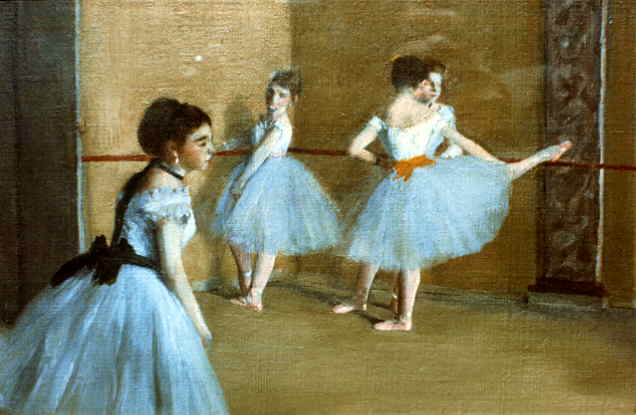
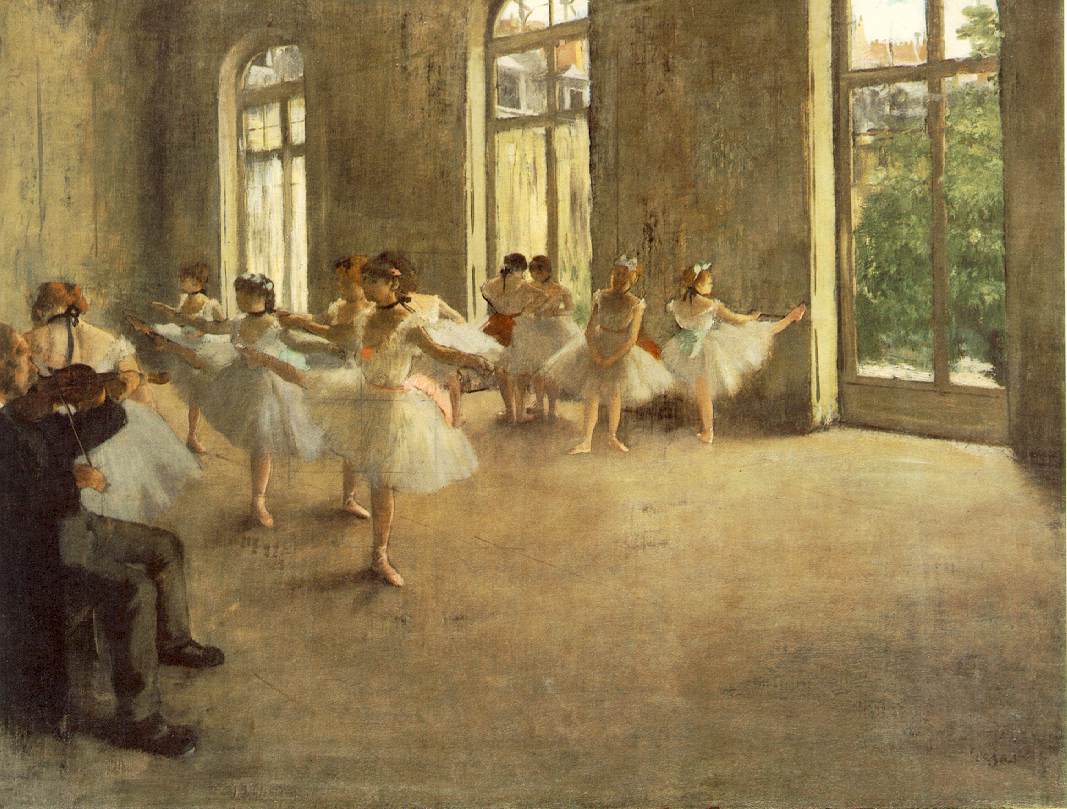
Degas was a french artist, famous for his paintings, sculptures, prints and drawings. Most of his work was influenced around dancers and their movements. Once photography came out in 1837, artist could make their work more 'realistic' meaning more real and formal. When photography first made an appearance, the 'painters' had a lot to say as they thought they had the 'easy' option to publish their pictures. When the research and detail came out more about photography and what they could do, the painters came to realise that it wasn't that 'bad' after all. The photographers could get a more 'realistic' photography as they could shoot the movements instead of just still life photos. This meant that they didn't need everyone in the shoot to make it 'perfect', more real the photo, the more better it was. So all this influenced the painters to not paint 'perfectly' as  it didn't matter if someone or something was out of place or not everyone was in the shot fully as photography made the paintings believable. 


Example of everyone not needing to be in the shot
to make it more 'real' and 'believable' instead of
something that seems 'set up'. This is an example of
a cropped photo.


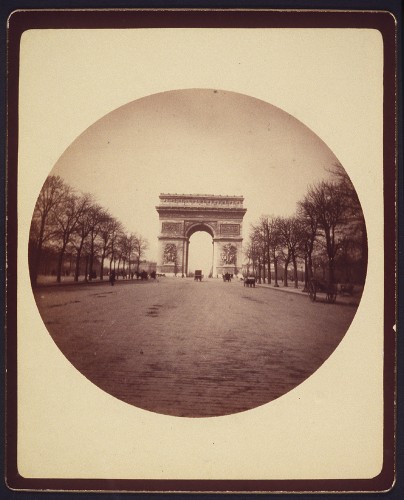
Early Kodak Photographs


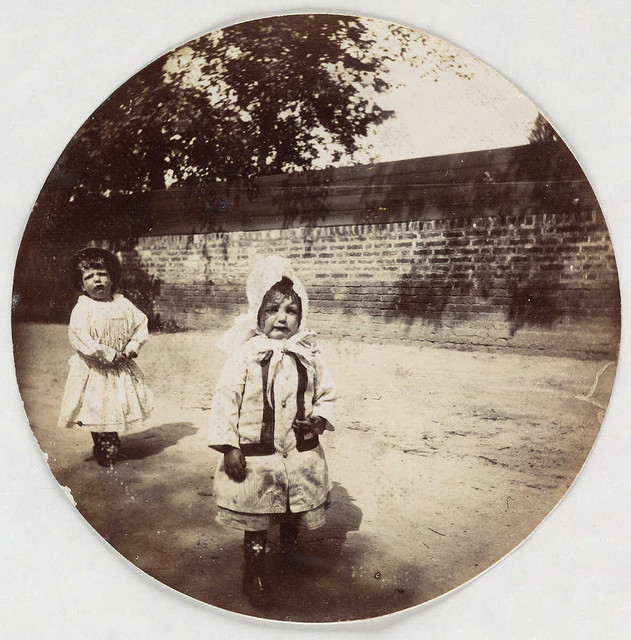
The pictures below are examples of 'Early Kodak Photographs'. 
Kodak was a simple box camera that came loaded with a 100-exposure roll of film and When the roll was finished, the entire machine was sent back to the factory in Rochester, where it was reloaded and returned to the customer while the first roll was being processed. 'Kodak' had a 'memorable slogan' called "You press the button, we do the rest."
During the first decade of the twentieth century, a number of serious amateur photographers reacted to the snapshot craze by forming organisations dedicated to promoting photography as a 'fine art', rather than as a 'popular pastime' or 'commercial' pursuit'
The 'Early Kodak Photographs' meant that photos where cropped ridiculously as the shape of the photo that was produced was a shape of an circle, meaning everything wasn't involved in the image.


Own images


For this image, I have used the 'looking up' effect for the 'creative use of the camera height'. I took this photo in college, personally I think to improve this photo I should of left more opening distance at the top of the photo to make the image look more better. 


For this image, I have used the 'looking up' effect for the 'creative use of camera height'. I took this in my back garden, I personally think this one looks better than my first attempt in college as this one seems like more is going on in the actual picture.  


 For this image, I have used the 'camera crop' effect. I took these two pictures in college, for the 'camera crop' I took a picture but without including top of her head. To improve this image, I would next time change where about I cropped to make the photo look more interesting and not boring. 


 For this image, I have used the 'camera angle' effect, I took this image in my back garden. To maybe develop and improve this picture for next time, I would involve a building to get the 'angle' an more noticeable effect in the photo as everything just clashes together.

Saturday, 27 September 2014

Edward Watson - Annotation

This is my first option. 

This black and white photograph is a picture of a mill. I found this photograph in Edward Watson's book, ''Forms of Passion''. This photograph really stood out for me as it comes across very simple but makes you think so much about every single, little detail because of how the photograph was taken. What I mean by this is how the mill comes across 'powerful' as it feels like it's towering over you from the angle it has been taken from and the way how Watson only took the photo about midway, cutting the bottom and the top off. The fact that this photo is black and white makes it stand out more to the viewers because of how it's got sharp, hard, direct lines leading upwards. I would of imaged that Watson used a tripod for this specific photo as it is well balanced. 


This is my second option.


This is another black and white photograph of Edward Watson's. This is another photo that caught my eye as I think this photo represents it being an oldish photograph as from what you can see. For example, the big arena and massive gathering of people. I presume that this photograph is a Colosseum which goes back a while ago as it was built in the first century. I think this photo only comes across more appealing to the viewers as Watson has took this photo from a high angle, making you see a bit of everything each in one shot but with a bigger focus onto the arena area as it daunts your eye to that specific section. 


This is my third option. 

Once again, another black and white photograph of Edward Watson's. This image simply catches your eyes as it drawn's you into the photograph as it comes across very empty but seems like so much it going on at the same time. The scruffy walls, no windows comes across as it may be an abandoned building which tells a story on why it is, and how it is. I think Watson used a tripod for this photograph because of how well balanced it is.


This is my forth option. 

Yet again, this is a white and black photograph of Edward Watson's. I chose this photo as it was the front cover of his book, ''Forms of Passion''. This image seems so powerful but yet so alone as she comes across like an dependent women as she's by herself. It makes you feel like this image tells a story as she seems fragile and hurt and maybe that's why she's sat on the floor with her head down on her knees.